WORDPRESS MAINTENANCE FOR BUSINESSES: WHAT TO CHECK TO PREVENT PROBLEMS
WordPress maintenance for businesses involves more than just updating plugins from time to time. A business website may rely on forms, booking systems, online stores, integrations, databases, and external tools. That’s why an update made without proper testing can disrupt important business operations.
Proper WordPress maintenance helps reduce security risks, detect issues before they affect users, and maintain stable website performance.
WordPress recommends keeping plugins and themes up to date and advises having a recent backup before performing major updates.
What Does WordPress Maintenance for Businesses Include?
Proper maintenance should cover both WordPress and the infrastructure that keeps the website running.
Not every project requires the same level of maintenance. A simple informational website has different needs from a WooCommerce store or a system with private user accounts.
WordPress Updates
Plugins and Themes
Backups
Error Checks
Database Maintenance
SSL Certificates
Mobile Compatibility
Website Performance
For this reason, updating WordPress is only one part of the maintenance process.
WordPress, Plugin, and Theme Updates
Keeping website software up to date helps apply security fixes, improvements, and compatibility updates. However, clicking “Update All” without reviewing the site first is not always advisable.
What Should You Check?
Make sure a recent backup is available.
Make sure your hosting has sufficient resources.
Verify that essential plugins are compatible.
Check for custom modifications that could be lost.
Plan to test critical features after updating.
What Should You Test After Updating?
After an update, you should test at least the most important features of your website.
Homepage
Navigation Menu
Login
Automated Emails
Mobile Version
On a business website, a page that “loads correctly” does not necessarily mean everything is working properly.
What Does WordPress Maintenance for Businesses Include?
Proper maintenance should cover both WordPress and the
infrastructure that keeps the website running.
Select each area to learn what should be checked.
WordPress Updates
Reviewing the WordPress core version and keeping it up to date helps maintain compatibility, stability, and important system fixes.
Plugins and Themes
It is important to check the versions, compatibility, and status of plugins and themes before applying changes that could affect website functionality.
Backups
A backup should include both website files and the database. It is also important to verify where the backup is stored and how it can be restored if an issue occurs.
Error Checks
Website maintenance involves checking for visible errors, conflicts, forms, links, critical processes, and unexpected behavior that may affect the user experience.
Database Maintenance
The database should remain organized and be reviewed when unnecessary records, errors, or processes affect website performance.
SSL Certificates
Verify that the website loads correctly over HTTPS and that its SSL certificates remain active and properly configured.
Mobile Compatibility
The website should be tested on smartphones and tablets to verify navigation, buttons, forms, text, and responsive design elements.
Website Performance
Images, resources, scripts, caching, and other elements should be evaluated to identify factors that may affect website speed and stability.
Updating WordPress is only one part of website maintenance.
WordPress, Plugin, and Theme Updates
Keeping software up to date helps apply security fixes, improvements, and compatibility updates. However, clicking “Update All” without reviewing the website first is not always advisable.
Pre-Update Review
Before updating a business website, it is important to check several key areas.
A recent backup is available.
The hosting environment has sufficient resources.
Key plugins are compatible.
There are no custom modifications that could be lost.
Critical website features can be tested after the update.
What Should Be Tested After Updating?
After an update, it is important to test at least the website’s most essential features.
Homepage
Navigation Menu
Login
Automated Emails
Mobile Version
On a business website, a page that “loads correctly” does not necessarily mean everything is working as expected.
Keeping plugins up to date helps maintain security, compatibility, and stability.
Backups and Website Recovery
A backup allows you to restore your website when a problem occurs during an update, a modification, or a technical incident.
Create a Backup
A backup should preserve all the necessary components to ensure the website can be properly restored.
What Should a Backup Include?
Website Recovery
A backup is only useful if it can actually be restored.
The recovery procedure should also be understood before a technical incident occurs.
Hosting, cPanel, and Server Resources
Website maintenance should also consider where the website is hosted. Tools such as cPanel make it possible to manage files, databases, email accounts, PHP settings, domains, subdomains, SSL certificates, backups, and technical logs.
What Can Be Managed from the Server?
Files
Databases
Email Accounts
PHP Versions
Domains
Subdomains
SSL Certificates
Backups
Not All Website Errors Come from WordPress
When a website begins experiencing errors, the problem is often not directly related to WordPress itself.
Available Server Resources
PHP Versions and Configuration
DNS Configuration
Hosting Resource Limits
That is why accurate troubleshooting requires examining both WordPress and the server infrastructure on which it runs.
Cloudflare, DNS, and Security
When a website uses Cloudflare, it is also important to review its configuration. Cloudflare provides DNS services and features related to security, availability, and protection.
DNS Resolution and DNSSEC
DNS configuration determines how a domain name is resolved. In addition, DNSSEC adds cryptographic signatures to DNS records.
Official DNS Documentation ↗
Infrastructure
& Security
Traffic Encryption
Cloudflare provides SSL/TLS management to encrypt traffic between visitors, its network, and the origin server.
Official SSL/TLS Documentation ↗Key Elements to Review
DNS Records
Proxy Status
SSL Certificates
HTTPS Redirects
Domain Configuration
Subdomains
Existing Rules
Origin Server Access
Incorrect configuration can cause website errors even when WordPress itself is working properly.
Security and Access Control
Another important aspect of website maintenance is reviewing who has access to the website. Users who no longer need access should be removed, and administrative credentials should not be shared among multiple people.
Controlled Website Access
Each user should only have the level of access necessary to perform their assigned tasks.
This is especially important for websites that process customer data.
Unique Passwords
Avoid reusing the same credentials across different accounts.
Appropriate User Roles
Assign each user only the permissions required for their responsibilities.
Additional Authentication
Enable an additional layer of authentication whenever it is available.
HTTPS Connections
Verify that the website uses secure connections.
Maintained Plugins and Themes
Keep all plugins and themes used by the website up to date.
Website Performance and User Experience
Website speed is also an essential part of maintenance. Google recommends evaluating the overall page experience, including Core Web Vitals, HTTPS security, and proper display on mobile devices.
Achieving a perfect score in a performance testing tool does not automatically guarantee higher search rankings.
A Fast, Secure, and Mobile-Friendly Website Provides a Better User Experience
That is why it is important to evaluate not only website speed but also site stability, resource loading, and performance across different devices.
Image File Sizes
Unnecessary Scripts
Resource-Heavy Plugins
Caching
Database
Server Resources
Responsive Design
Checklist de mantenimiento
Este checklist resume los puntos principales que conviene revisar durante el mantenimiento de un sitio web para detectar errores, prevenir incidencias y conservar estabilidad, seguridad y rendimiento.
WordPress
Actualizaciones y compatibilidad.
Plugins
Versiones, errores y plugins sin uso.
Temas
Actualizaciones y modificaciones.
Seguridad
Usuarios, accesos y HTTPS.
Hosting
Recursos, PHP y almacenamiento.
Base de datos
Estado y optimización.
Backups
Existencia y posibilidad de restauración.
DNS
Registros y funcionamiento.
Cloudflare
SSL, DNS y configuración.
Formularios
Envío y recepción.
Móvil
Diseño responsive.
Rendimiento
Velocidad y Core Web Vitals.
Errores frecuentes
Uno de los errores más comunes consiste en esperar a que la web falle para realizar mantenimiento. Otro problema habitual es instalar muchos plugins que hacen funciones similares.
Detectar estos errores a tiempo ayuda a reducir riesgos
El mantenimiento preventivo no solo corrige fallos. También evita decisiones que pueden comprometer seguridad, estabilidad, rendimiento y recuperación del sitio.
Muchos problemas técnicos no aparecen de inmediato, pero se acumulan hasta afectar el funcionamiento general.
01 Plugins abandonados
Los plugins sin mantenimiento pueden generar incompatibilidades, fallos de seguridad y problemas de funcionamiento con nuevas versiones de WordPress.
02 Temas piratas
Utilizar temas no oficiales aumenta el riesgo de código malicioso, puertas traseras, errores ocultos y falta de soporte.
03 Copias de seguridad solo en el mismo servidor
Si el servidor falla o sufre una incidencia grave, guardar los backups únicamente allí puede impedir una recuperación real.
04 Usuarios administrativos innecesarios
Mantener accesos administrativos sin necesidad incrementa el riesgo de errores humanos, accesos no autorizados y problemas de seguridad.
05 Actualizaciones sin pruebas
Actualizar sin revisar compatibilidad ni funciones críticas puede provocar errores visibles o fallos internos en el sitio.
06 Cambios directos en producción
Cuando el riesgo es elevado, aplicar cambios directamente sobre el sitio activo puede afectar usuarios, ventas, formularios o accesos.
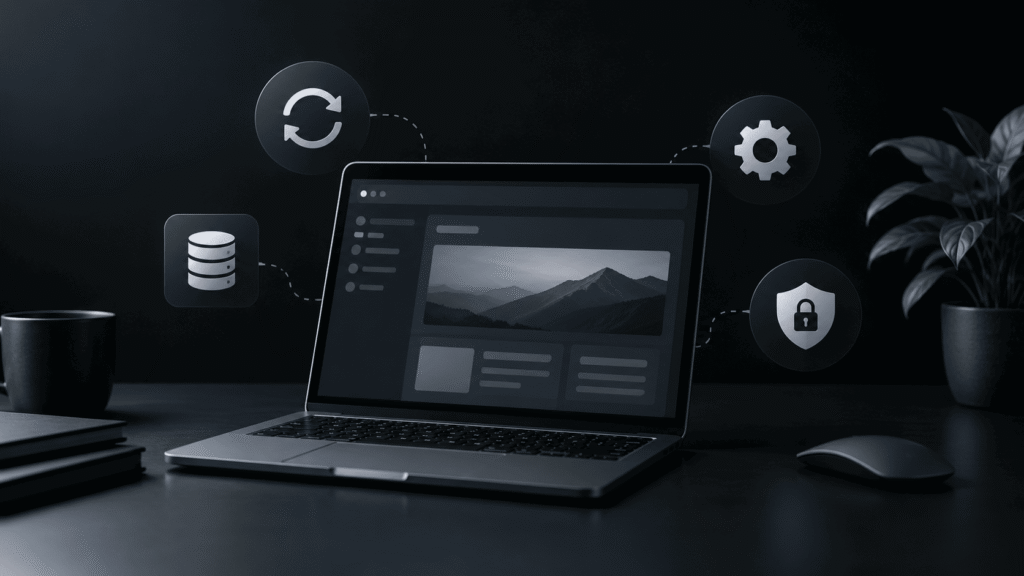
WORDPRESS MAINTENANCE FOR BUSINESSES: WHAT TO CHECK TO PREVENT PROBLEMS WordPress maintenance for businesses involves…
Preguntas frecuentes
¿Cada cuánto debe hacerse mantenimiento WordPress para empresas?
Depende del sitio. Una página corporativa sencilla puede necesitar menos intervención que un e-commerce o un sistema con usuarios. Sin embargo, actualizaciones, copias de seguridad y revisión de seguridad deben realizarse regularmente.
¿Actualizar WordPress puede romper una página?
Puede ocurrir si existe una incompatibilidad entre plugins, temas o código personalizado. Por eso conviene tener respaldo y comprobar las funciones principales después de actualizar.
¿Es necesario usar Cloudflare?
No es obligatorio. Sin embargo, puede aportar herramientas relacionadas con DNS, SSL, disponibilidad y seguridad según la configuración utilizada.
¿Qué diferencia existe entre mantenimiento y soporte técnico?
El mantenimiento busca prevenir problemas. El soporte técnico interviene cuando aparece una incidencia o cuando debe implementarse una modificación concreta.
¿Una copia de seguridad automática es suficiente?
Es útil, pero también conviene saber dónde se almacena y cómo restaurarla.
¿El mantenimiento mejora el SEO?
Indirectamente puede ayudar. Un sitio rápido, seguro, móvil y funcional ofrece una mejor experiencia. Google recomienda considerar estos factores dentro de la experiencia general de página.
¿Hay que actualizar todos los plugins inmediatamente?
Las actualizaciones de seguridad deben atenderse con especial atención. En sitios críticos, conviene verificar compatibilidad y disponer de respaldo antes de aplicarlas.
¿Qué sucede si no se mantiene WordPress?
Con el tiempo pueden aparecer incompatibilidades, vulnerabilidades, errores, problemas de rendimiento y dificultades para actualizar versiones antiguas.
Conclusión
Puedo ayudarte con WordPress, WooCommerce, mantenimiento, automatización y soluciones web personalizadas.
- Inicio
- Servicios
- Proyectos
- Blog
- Sobre mí
- Contacto
© 2026 José · Desarrollador Web. Todos los derechos reservados.